
Silence is Golden: How I Black-holed 99% of Internet Noise
Stop catching bullets and start ignoring the shooter. Learn how I use OPNsense, Suricata, and ModSecurity to make my infrastructure fail silently against bots.

Most people think a firewall is a single wall. In reality, a robust network needs layers. Over the last 48 hours, my infrastructure was hit by a wave of automated scanners, botnets, and targeted exploit attempts.
Instead of panicking, I watched my architecture do exactly what it was designed to do: fail silently.
In this post, I’m going to break down the actual attack traffic hitting my servers, from mass internet scanners at the edge to sophisticated RCE attempts at the application layer, and show how a combination of OPNsense (Suricata) and Nginx (ModSecurity) neutralized them.
Phase 1: The "Defense in Depth" Approach
Layer 1: The Perimeter (OPNsense + Suricata)
My first line of defense is OPNsense running Suricata as an Intrusion Prevention System (IPS). This layer handles the "noise": automated scripts scanning the entire IPv4 address space.
Because these requests are dropped at the WAN interface, they never consume resources on my internal application servers.
The "Internet Noise" (ZMap)
These are harmless but annoying. Researchers and adversaries alike use ZMap to scan the entire internet for open ports.
YAML
# Log Sample: ZMap Scanner
Status: Blocked
Source: [SCANNER_IP] (Microsoft Azure)
Signature: ET SCAN Zmap User-Agent (Inbound)
Target: WAN Interface (Port 80)
Verdict: Blocked at the gate. My logs showed dozens of these from Azure and AWS IP ranges. They aren't targeting me specifically; they are just knocking on every door in the neighborhood.
The "Future" Exploit (React CVE-2025-55182)
This was a scary one. An attacker from Bulgaria attempted to exploit a high-severity vulnerability in React Server Components that allows for Remote Code Execution (RCE).
YAML
# Log Sample: React RCE Attempt
Status: Blocked
Source: [ATTACKER_IP] (Bulgaria)
Signature: ET WEB_SPECIFIC_APPS React Server Components React2Shell (CVE-2025-55182)
Target: Internal Server
Analysis: The attacker tried to manipulate the "Flight Protocol" used by React to execute code on my server. Since Suricata inspects the packet stream, it recognized the specific byte sequence of this exploit and dropped the connection before it could touch my application.
The "Kitchen Sink" Attack
One persistent attacker from Poland tried multiple exploits in rapid succession, hoping one would stick.
YAML
# Log Sample: Multi-Vector Attack
Source: [ATTACKER_IP] (Poland)
Signatures:
  - ET WEB_SERVER /bin/sh In URI Possible Shell Command Execution
  - ET EXPLOIT Apache HTTP Server 2.4.49 - Path Traversal (CVE-2021-41773)
Verdict: They tried to trick the server into running shell commands (/bin/sh) and reading files outside the web root (Path Traversal). Both were instantly dropped.
Layer 2: The Application Core (Nginx + ModSecurity)
Traffic that passes the firewall (usually valid HTTPS encrypted traffic) hits my Nginx Ingress. This is where ModSecurity takes over.
While OPNsense handles the network stream, Nginx decrypts the traffic and inspects the application logic.
The Environment Hunters (.env)
The most common attack I see is bots hunting for .env files. If they find this, they get my API keys and database passwords. Which I obviously do not have. But these are brainless scanners.
JSON
// Log Sample: ModSecurity Block
{
  "message": "Attempted Access to Sensitive File",
  "details": {
    "match": "Matched Operator `Rx' with parameter `\\.(?:env|git|yml)$'",
    "uri": "/.env",
    "action": "drop"
  }
}
The Defense: I don't just block these. I implemented a custom "Silent Drop" rule. Instead of sending a 403 Forbidden (which tells the attacker "I am here"), Nginx immediately kills the TCP connection (Status 444). To the attacker, it looks like the server timed out or doesn't exist.
The "LFI" Injection Attempt
A more sophisticated attempt tried to trick my server into revealing the Linux password file by injecting it into a query parameter.
JSON
// Log Sample: Local File Inclusion
"request": {
  "method": "HEAD",
  "uri": "/?test=/etc/passwd"
},
"messages": [
  {
    "message": "OS File Access Attempt",
    "data": "Matched Data: etc/passwd found within ARGS:test"
  }
]
Verdict: ModSecurity's Core Rule Set (CRS) identified /etc/passwd as a critical OS file and blocked the request.
The "Fake Mobile" Evasion
Some bots try to bypass firewalls by pretending to be obscure mobile devices.
JSON
"headers": {
  "User-Agent": "DoCoMo/2.0 SH901iC..."
}
Verdict: My WAF detected that this User-Agent was associated with a known scanner tool, despite its disguise, and blocked the request to /.git/config.
The "Silent Drop" Strategy
The most effective change I made this week was switching from Deny to Drop.
Previously, when Google Cloud scanners hit my server, they received a 403 Forbidden. This confirmed my server was active. Now, using deny,status:444, the result is a "Protocol Error."
The Curl Test:
Bash
$ curl -I https://[MY_DOMAIN]/wp-admin
curl: (92) HTTP/2 stream 1 was not closed cleanly: PROTOCOL_ERROR (err 1)
The attacker gets zero data. No headers. No server version. Just a dead line.
Phase 2: The Great Filter (Evolving to Active Defense)
I realized that stopping attacks packet-by-packet is inefficient. While my signature rules (Phase 1) were successfully blocking individual exploit attempts, my logs were still drowning in noise. I was catching every bullet, but I was letting the shooter stand there and reload.
I evolved my strategy to include "Active Reputation Dropping." By enabling specific Reputation Blocklists and setting them to DROP, I am no longer only asking Suricata to check if a packet contains a virus. I am asking Suricata to check who sent it. If the sender is a known criminal, we don't even inspect the payload. We just slam the door.
The "Nuclear Option": Spamhaus DROP
Policy Enabled: ET open/drop What it is: The Don't** Route Or P**eer list. This isn't a list of infected home computers; these are entire IP ranges owned or hijacked by professional cybercrime gangs and "bulletproof" hosting providers that refuse to take down malicious content.
The Result: My firewall is now blocking entire subnets of "legal" infrastructure that exists solely to attack others.
Plaintext
2026-02-13T01:12:19 | Blocked | 45.194.xx.xx | ET DROP Spamhaus DROP Listed Traffic Inbound group 7
2026-02-13T00:54:41 | Blocked | 87.120.xx.xx | ET DROP Spamhaus DROP Listed Traffic Inbound group 12
2026-02-13T00:39:25 | Blocked | 176.65.xx.xx | ET DROP Spamhaus DROP Listed Traffic Inbound group 33
- Analysis: The IPs blocked here (like the
176.65.xx.xxrange) belong to hosting providers in regions like the Netherlands and Seychelles often flagged for ignoring abuse reports. By blocking them via Spamhaus, I am not just blocking one attack; I am blocking the infrastructure they use to launch it.
The "Most Wanted" List: DShield
Policy Enabled: ET open/dshield What it is: Crowdsourced intelligence from the SANS Internet Storm Center. This list contains the "Top 20" scanning subnets of the moment. These are the loudest, most aggressive bots on the internet right now.
The Result: This filter caught the high volume scanners that were previously flooding my logs with hundreds of generic "port scan" alerts.
Plaintext
2026-02-13T01:10:55 | Blocked | 204.76.xx.xx | ET DROP Dshield Block Listed Source group 1
2026-02-13T00:13:27 | Blocked | 167.94.xx.xx | ET DROP Dshield Block Listed Source group 1
2026-02-12T23:18:50 | Blocked | 45.194.xx.xx | ET DROP Dshield Block Listed Source group 1
- Analysis: You can see the
204.76.xx.xxsubnet trying multiple times. This range belongs to a known mass scanner class. Previously, Suricata would have wasted CPU cycles inspecting every packet this bot sent. Now, it matches the IP against the DShield list and drops the connection instantly.
The "Bad Neighborhood" Watch: CINS Active Threat
Policy Enabled: ET open/ciarmy (Sentinel IPS) What it is:Collective** Intelligence Network S**ecurity. These rules are generated by a global network of honeypots. If an IP address attacks a Sentinel honeypot, it gets added to this list. It is essentially a "Verified Bad" list.
The Result: This caught the stragglers, the bots that might not be huge enough for DShield but are definitely up to no good.
Plaintext
2026-02-13T01:03:08 | Blocked | 203.55.xx.xx | ET CINS Active Threat Intelligence Poor Reputation IP group 281
2026-02-13T00:45:02 | Blocked | 89.42.xx.xx  | ET CINS Active Threat Intelligence Poor Reputation IP group 117
2026-02-13T00:07:11 | Blocked | 146.19.xx.xx | ET CINS Active Threat Intelligence Poor Reputation IP group 188
- Analysis: The variety of "Groups" (281, 117, 188, 104) shows the breadth of this list. It is catching threats from diverse sources (Russia, China, Cheap VPS providers) that have recently tripped a honeypot trap elsewhere on the internet.
The Trade-off: Security vs. Curiosity
When I first enabled these policies, I felt a strange sense of FOMO (Fear Of Missing Out). My logs used to tell me exactly what the attackers were trying to do: "SQL Injection Attempt," "Log4j Exploit Payload," or "WordPress Admin Brute Force."
Now, the logs just say: Blocked.
I have lost the granular detail of the attack vector, but I have gained massive efficiency in the defense strategy.
- The Old Way: The bouncer lets the bad guy into the club, follows him around, waits for him to pull out a weapon, and then kicks him out. (High risk, high resource usage).
- The New Way: The bouncer checks his ID at the door, sees he is on the "Banned" list, and doesn't open the door.
I will never know if 45.194.xx.xx was trying to hack my web server or my SSH port. And frankly, I don't care. The packet was black holed before it could even establish a handshake. The silence in my logs isn't a lack of activity; it is the sound of a hardened perimeter working exactly as intended.
The Invisible Army (Beyond the Big Three)
The logs above represent just a fraction of the activity. They are the "loud" blocks from the major reputation lists. But behind those front-line defenders, I have enabled a comprehensive suite of rule sets that are constantly scanning for specific threat behaviors. These rule sets are automatically updated as the threats evolve.
While Spamhaus and DShield handle the Who (Bad Reputation), these additional policies handle the What (Bad Behavior).
- Botnet Hunters: Policies like
ET open/botccandabuse.ch/ThreatFoxare specifically designed to stop my own devices from "phoning home" if they ever get infected. - The Payload Police: Rulesets like
emerging-exploitandemerging-malwareare looking for the actual code inside the packets, stopping everything from SQL injection attempts to ransomware downloads. - Web Guardians: With
emerging-web_serverandemerging-sql, I am actively blocking attempts to break into web applications, even if the attacker is using a "clean" IP address.
These are just a few examples of the real-time threat intelligence I have active. They act as the silent professionals, ensuring that even if a packet gets past the bouncer at the door, it still gets stopped before it can do any damage.
The "What If?" Scenario: Zero Trust Inside the Cluster
Security layers are great, but what if they fail? What if a Zero-Day exploit bypasses Suricata and ModSecurity, and an attacker actually gets a remote shell inside a container?
This is where Kubernetes Network Policies and Least Privilege save the day.
My architecture assumes a breach will happen. I don't rely on simple VLANs; I use a strict "Zero Trust" networking layer inside the cluster itself. By default, the cluster blocks traffic, and I explicitly allow only what is necessary.
- Micro-Segmentation (Ingress): The Ghost blog pod allows traffic from exactly one source: the Nginx Ingress Controller via HTTP.
- The "One-Way Street" (Pivot Blocking): The connection is strictly directional. Nginx can talk to Ghost to fetch pages, but Ghost cannot initiate a connection back to Nginx. If an attacker compromises the application and tries to move the data "upstream" to the web server to exfiltrate it, the connection is dropped. They are trapped in the backend.
- The Exfiltration Trap: Even if an attacker manages to compromise the Ghost application itself (which does have database access), they face a final hurdle: Egress Filtering.
- The Result: The Ghost container is allowed to talk to the database, but it is forbidden from talking to the internet. If an attacker dumps my database, they have no way to send it to themselves. They cannot connect to an external FTP, they cannot
curldata to a remote server, and they cannot reach a Command & Control (C2) node. They are sitting on a pile of data inside a digital prison cell with no windows.
Conclusion
Security isn't about being unhackable; it's about making it too expensive, annoying, and fruitless to hack you.
By shifting my strategy from "Log Everything" to "Block Known Bad," I haven't just secured my network; I have silenced it. Suricata now acts as a ruthlessly efficient bouncer, turning away 99% of the internet's background radiation based on reputation alone. The bad guys waste their resources waiting for timeouts, my CPU saves its cycles for actual traffic, and I sleep better knowing the only things appearing in my logs are the threats that actually matter.
For a more in-depth explanation of my underlying security architecture, check out my previous post.
Blog security overview Agenda 1. GeoIP DenyList (MaxMind, Tor, Individual IP ,etc.) * Attack Surface Reduction * Resource & Noise Reduction 2. Intrusion Detection (Suricata) * Deep Packet Inspection (DPI) & Threat Response * Suricata Enabled Rulesets * abuse.ch Rulesets (Feodo Tracker, ThreatFox, URLhaus) * Emerging Threats (ET) Rulesets 3. OPNsense Firewall * Port forwarding strategy 4. NGINX Ingress * Bypassing Kubernetes
Field Log Discussion
Public @handle only · Private email hidden · Fenced code blocks supported
Join the architecture review under a self-chosen @handle. Your email address is never displayed publicly.
Related Field Logs
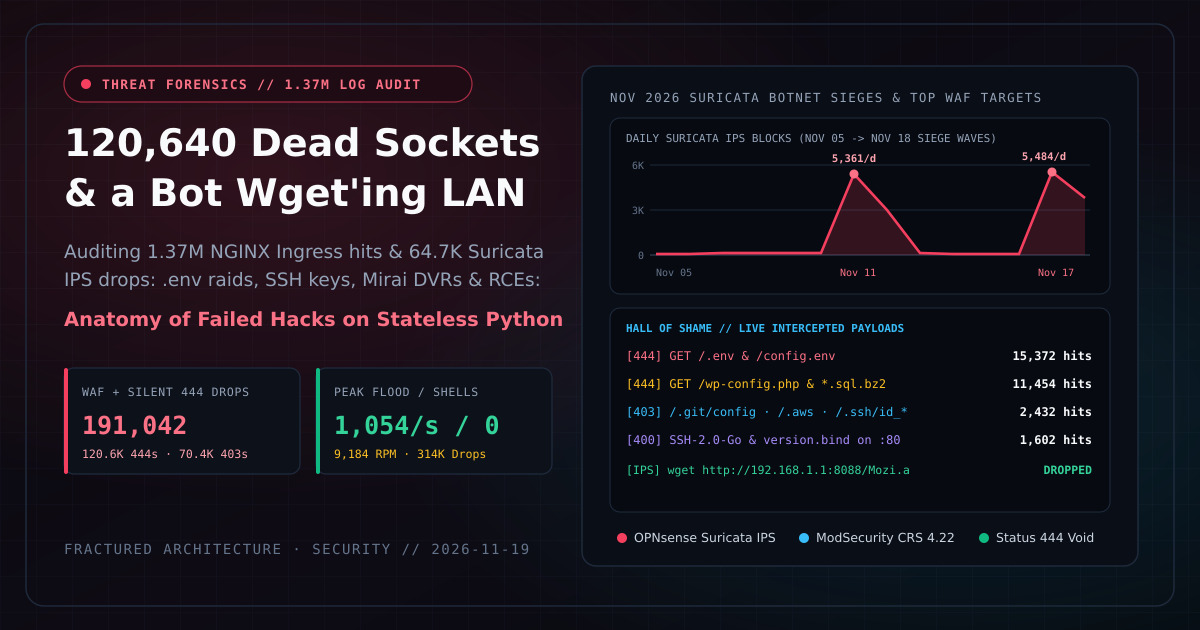
120,640 Dead Sockets and a Bot Wget'ing Its Own Router: Auditing 1.37 Million Live Attack Logs Across Suricata and ModSecurity
Auditing 1.37M NGINX Ingress logs and 64.7K Suricata IPS drops: 120,640 silent 444 kills, fake Googlebots firing React2Shell, and a bot wget'ing 192.168.1.1.

Architecture: The 10G eBPF Edge with OPNsense & Istio-Ready Cilium DSR
Achieve maximum 10G throughput. Learn how to configure Cilium with Native Routing and DSR for real client IP preservation and enterprise-grade observability.
The "Robots.txt" Illusion: Watching OpenAI Attempt to Bypass the Gates
When AI ignores robots.txt, it's trespassing. Explore the technical and legal defense of Fractured Architecture using data poisoning to protect market value.
Loading discussion notes...