
Mail Sovereignty Part II: Building a Professional, Self-Hosted Stack
Master self-hosted email sovereignty. Build a hardened OPNsense, Postfix, Rspamd, and Redis mail gateway with Route53 DNS-01 TLS and firmware-safe recovery.
Warning: Not for the faint of heart. Do not attempt unless you know exactly what you are doing and are a perfectionist. Triple-check all of your configuration before sending the first email. After you have triple-checked, check again. Make sure your live configuration matches what you expect by interrogating both the template configuration and what the running daemon is actually using. You were warned.
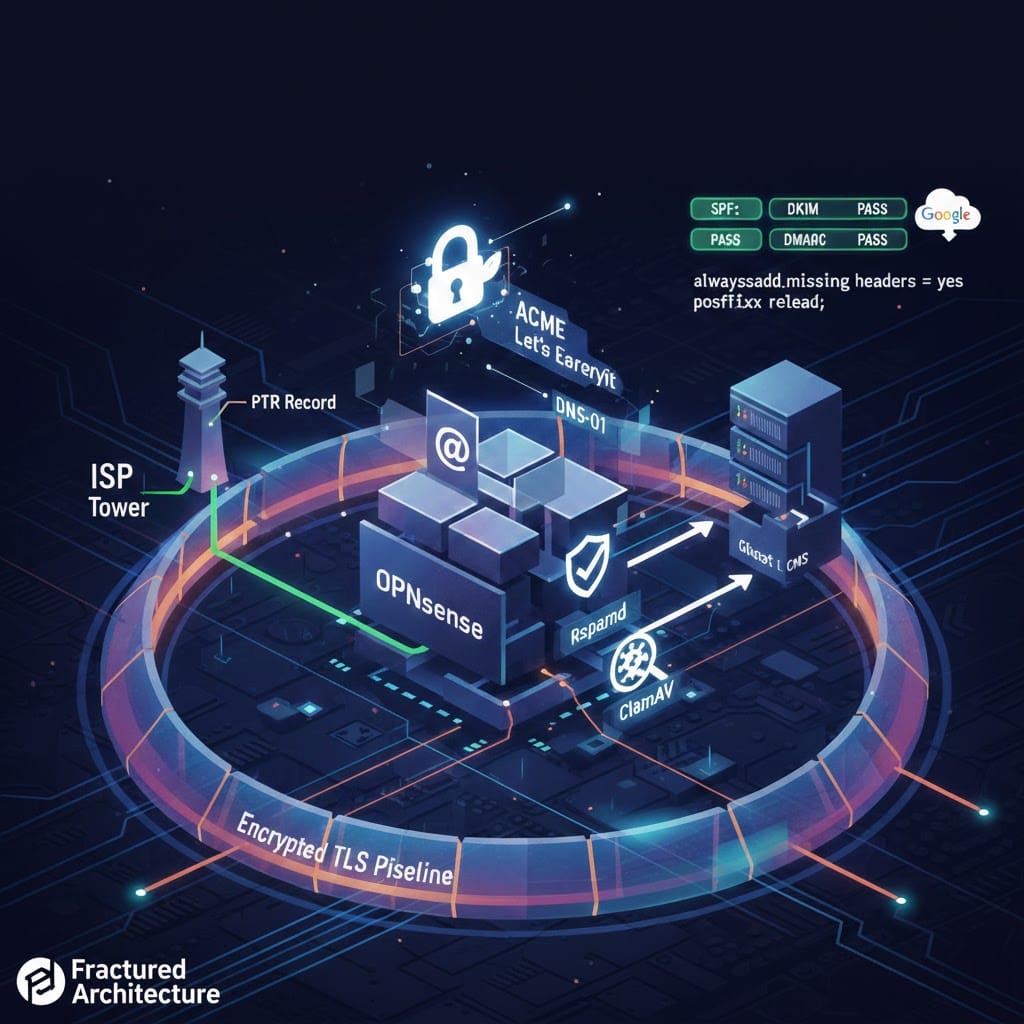
Self-Hosted Mail Architecture: SPF, DKIM, DMARC & OPNsense A deep dive into building a hardened mail gateway. Learn how to satisfy Google's SMTP standards and maintain a clean sender reputation on your own hardware. If you have not already, read Part I first to understand the architectural model.
Prerequisites: The Foundation of Sovereignty
Before touching a single line of configuration, let's be clear: self-hosting email in 2026 is not a "set it and forget it" weekend project. It is an ongoing commitment to infrastructure hygiene. To build a stack that reliably reaches the inbox and stays hardened, you need the following non-negotiables:
1. The Right Compute (Hardware & OS)
While you could run a mail relay on minimal hardware, a production gateway needs headroom for real-time spam scoring (Rspamd) and antivirus scanning (ClamAV).
- Dedicated OPNsense Edge or Business VPS: If hosting on-premises, you must have a business-class static IPv4 address. Avoid residential dynamic IP blocks; they are almost universally listed on Spamhaus PBL for direct-to-MX SMTP.
- Resources: At least 2 vCPUs and 4 GB to 6 GB of RAM. You can squeeze by on 2 GB, but you will likely have to disable ClamAV, which defeats full gateway inspection.
- Operating System: OPNsense (FreeBSD-based hardened firewall/appliance) at the edge, or a clean Linux host if running a standalone relay. In this guide, we deploy directly onto OPNsense.
2. Networking & IP Integrity
This is where most self-hosting attempts fail before they begin.
- Static IPv4: Mandatory. When your outbound IP changes, your sender reputation resets to zero.
- Outbound & Inbound Port 25 Access: Many cloud providers and ISPs block outbound Port 25 by default to curb abuse. Confirm with your upstream provider that Port 25 is unfiltered.
- Reverse DNS (
rDNS/PTR) Record: This is your cryptographic-adjacent return address on the internet. While a standardArecord maps a hostname to an IP,rDNSmaps that IP back to your hostname. - The Rule: Your
PTRrecord must match the Fully Qualified Domain Name (FQDN) your Postfix server announces in itsEHLObanner (myhostname, such asyourdomain.comormail.yourdomain.com). - Validation: Without forward-confirmed reverse DNS (
FCrDNS), Gmail, Microsoft 365, and iCloud will reject or junk your mail immediately. Note thatPTRrecords are configured with the IP block owner (your ISP or VPS control panel), not in your regular domain registrar DNS zone.
3. Domain & DNS Control
You need full control over your authoritative DNS zone to publish the Deliverability Trinity:
- SPF (Sender Policy Framework): Explicitly enumerates the IPv4/IPv6 addresses authorized to originate mail for your domain.
- DKIM (DomainKeys Identified Mail): A 2048-bit RSA cryptographic signature applied by Rspamd proving message headers and body were not altered in transit.
- DMARC (Domain-based Message Authentication, Reporting, and Conformance): Instructs receiving MX servers to quarantine or reject messages failing SPF/DKIM alignment.
4. Automated TLS via ACME (DNS-01)
Cleartext SMTP is unacceptable on modern networks. We use the ACME Client plugin on OPNsense with Route53 DNS-01 challenges.
- Unlike
HTTP-01challenges,DNS-01proves domain control and renews Let's Encrypt certificates without exposing Port 80 on your WAN firewall interface.
Configuring the AWS Route53 Integration
To automate certificate issuance and renewal, delegate the DNS-01 challenge to Amazon Route53:
- IAM Least Privilege: Never place root AWS credentials onto a firewall. Create a dedicated IAM user scoped strictly to
route53:ChangeResourceRecordSetsandroute53:ListHostedZoneson your specific Hosted Zone ARN. - OPNsense Challenge Type: Under Services > ACME Client > Challenge Types, add a new challenge, select
DNS-01, and chooseAmazon Route53. - The Handshake: Enter your Access Key ID, Secret Access Key, and Region. OPNsense will automatically provision temporary
_acme-challengeTXTrecords during renewal and clean them up once validated.
Creating the Certificate Mapping
Once the Challenge Type is ready, define the certificate under Services > ACME Client > Certificates:
- Common Name: Set this to the exact hostname Postfix will present (
yourdomain.comormail.yourdomain.com). - Alt Names: Include your apex domain and any mail subdomains (for example,
yourdomain.com,mail.yourdomain.com,smtp.yourdomain.com). - ACME Account: Select your registered Let's Encrypt account.
- Challenge Type: Select the Route53 DNS-01 challenge created above.
- Automation: Attach a restart automation action so Postfix reloads whenever ACME writes refreshed
fullchain.pemandprivate.keyfiles.
Establishing Your Global DNS Identity
Before sending a single packet, publish all four identity records so Gmail, Outlook, Proton, and Apple iCloud can verify your gateway on first contact.
1. The SPF Record (The Allowlist)
- Host:
yourdomain.com(Apex@) - Value:
v=spf1 ip4:YOUR_STATIC_WAN_IP -all - Hard Fail (
-all) vs. Soft Fail (~all): Use-allonce verified. It instructs remote servers to reject mail claiming to be from your domain if it did not originate from your OPNsense WAN IP.
2. The DKIM Record (The Public Key)
While we generate the private signing key locally on OPNsense, the corresponding public key lives in DNS:
- Host:
mail._domainkey.yourdomain.com(usingmailas our selector). - 2048-Bit TXT Splitting: Standard DNS
TXTstrings are capped at 255 characters per quoted chunk, and a 2048-bit RSA public key exceeds that length. Split the record into adjacent quoted strings inside a singleTXTvalue:"v=DKIM1; k=rsa; p=MIIBIjANBgkqh..." "additional_base64_key_material...". Route53 handles multi-stringTXTvalues cleanly, provided no stray whitespace is injected inside the base64 key payload.
3. The DMARC Record (The Enforcement Policy)
- Host:
_dmarc.yourdomain.com - Value:
v=DMARC1; p=reject; rua=mailto:postmaster@yourdomain.com - Rollout Strategy: You can start with
p=noneorp=quarantineduring initial testing, then lock inp=rejectonceAuthentication-Resultsheaders show clean SPF and DKIM alignment.
4. The Reverse DNS (PTR) Record
- Verification: Configure this in your ISP or VPS provider portal so
YOUR_STATIC_WAN_IPresolves back to the exactmyhostnameconfigured in Postfix.
Installation: Deploying the OPNsense Mail Stack
With networking, DNS, and ACME TLS ready, install the four core plugins via System > Firmware > Plugins (plus os-acme-client if not already installed):
1. The Postfix Plugin (os-postfix)
Postfix is our Mail Transfer Agent (MTA) workhorse, handling inbound/outbound SMTP routing, TLS negotiation, header hygiene, and milter handoffs.
- Search for
os-postfix, click + to install, and find it under Services > Postfix.
2. The Redis Plugin (os-redis)
Redis provides persistent, low-latency in-memory state for Rspamd greylisting, rate limits, neural/statistical tokens, and reputation caches.
- Search for
os-redis, install it, and configure it under Services > Redis.
3. The Rspamd Plugin (os-rspamd)
Rspamd handles spam filtering and, critically for outbound sovereignty, cryptographic DKIM signing via its milter socket.
- Search for
os-rspamd, install it, and find it under Services > Rspamd.
4. The ClamAV Plugin (os-clamav)
ClamAV scans attachments for known malware signatures at the perimeter before messages ever reach internal services or clients.
- Search for
os-clamav, install it, and find it under Services > ClamAV.
Troubleshooting: Manual Plugin Installation via SSH
If any plugin fails to appear in the web UI, install it directly from the OPNsense FreeBSD shell:
- Enable SSH temporarily under System > Settings > Administration (bound strictly to your management LAN).
- Connect via SSH (
ssh root@your-opnsense-lan-ip) and choose Option 8 (Shell). - Update package metadata and install the plugins:
# Update OPNsense repository metadata
pkg update

# Install the mail gateway plugins
pkg install os-postfix os-redis os-rspamd os-clamav
After pkg install finishes, open System > Firmware > Status in the OPNsense GUI and click Check for updates so the web interface registers the newly installed service menus.
Configuration: The GUI and CLI Hybrid Approach
Running a production-grade mail stack on OPNsense requires a deliberate hybrid approach: use the GUI to register base service lifecycles in config.xml, and use the CLI for cryptographic key generation, milter socket permissions, header privacy rules, and Postfix template overrides.
1. GUI: Initializing the Engines
Initialize the base service directories through the OPNsense web interface first:
- Redis: Navigate to Services > Redis > General Settings, check Enable Redis, bind Listen Address to
127.0.0.1(loopback only), and click Apply. - Postfix: Navigate to Services > Postfix > General, enable Postfix, and set System Hostname (
myhostname) and System Domain (mydomain) to your verified domain (yourdomain.comormail.yourdomain.com). - Rspamd: Navigate to Services > Rspamd > General, enable Rspamd, and set Redis Plugin to
127.0.0.1.
2. CLI: Generating the 2048-Bit DKIM Keypair
On OPNsense (FreeBSD), persistent Rspamd data lives under /var/db/rspamd/dkim/ (note FreeBSD's /var/db/ convention rather than Linux's /var/lib/).
SSH into OPNsense (Option 8) and generate a 2048-bit key using mail as the selector:
mkdir -p /var/db/rspamd/dkim/

rspamadm dkim_keygen -b 2048 -s mail -d yourdomain.com \
  -k /var/db/rspamd/dkim/yourdomain.com.mail.key > /root/yourdomain.com.mail.pub

chown -R rspamd:rspamd /var/db/rspamd/dkim/
chmod 750 /var/db/rspamd/dkim/
chmod 440 /var/db/rspamd/dkim/yourdomain.com.mail.key
Inspect /root/yourdomain.com.mail.pub to copy the public TXT record into Route53 (mail._domainkey.yourdomain.com), then remove the temporary .pub copy once verified in DNS.
3. CLI: The "Sign Local" Force Multiplier in Rspamd
If you only configure basic DKIM paths, Rspamd may skip signing messages relayed from trusted internal LAN hosts, Kubernetes pods, or local CLI tests. Create /usr/local/etc/rspamd/local.d/dkim_signing.conf with explicit local and authenticated signing enabled:
# /usr/local/etc/rspamd/local.d/dkim_signing.conf
path = "/var/db/rspamd/dkim/$domain.$selector.key";
selector = "mail";

# Force cryptographic signing for internal LAN relays and SMTP-authenticated clients
sign_local = true;
sign_authenticated = true;
allow_username_mismatch = true;
What each directive enforces:
sign_local = true: Signs outbound mail originating from trusted internal networks (mynetworks, such as Kubernetes worker nodes or internal services relaying through OPNsense) and local loopback tests.sign_authenticated = true: Signs every message submitted by SASL-authenticated clients (laptops, phones, or app relays).allow_username_mismatch = true: Ensures Rspamd still signs messages when the authenticated login handle differs from theFrom:address on your domain.
4. Unix Socket Permissions for the Postfix-Rspamd Milter
Postfix communicates with Rspamd over /var/run/rspamd/milter.sock. Add the postfix user to the rspamd group so Postfix can traverse the socket cleanly:
pw groupmod rspamd -m postfix
service rspamd restart
5. GUI: Postfix TLS, Trusted Networks & Antispam
In Services > Postfix:
- General: Set System Hostname, System Domain, and Origin, and restrict Trusted Networks strictly to the internal VLANs or service IPs permitted to relay outbound mail.
- TLS: Select your Route53 ACME certificate and enable opportunistic/STARTTLS encryption (
may) for inbound and outbound sessions. - Antispam: Enable Spam Protection and set the backend to Rspamd.
Hardening Headers: RFC Compliance & Internal Topology OPSEC
Two subtle Postfix behaviors trip up otherwise solid self-hosted gateways:
1. Enforcing Missing RFC 5322 Headers (always_add_missing_headers)
Minimal SMTP clients, CLI scripts, and lightweight application mailers sometimes omit Date: or Message-ID: headers. Gmail heavily penalizes messages lacking a valid Message-ID:. Setting:
always_add_missing_headers = yes
forces Postfix to synthesize RFC-compliant Message-ID and Date headers before handing the message to the Rspamd milter, guaranteeing clean DKIM structural alignment.
2. Stripping Internal LAN Received: Hops (smtp_header_checks)
When an internal service (such as a Kubernetes pod or internal server on .lan) relays an outbound email through your OPNsense gateway, Postfix prepends a Received: from ... header containing the internal node's hostname and private RFC 1918 IP address. Leaving that intact leaks your internal network naming scheme inside every recipient's "Show original" view.
We eliminate that leak with a Postfix regular-expression header filter (/usr/local/etc/postfix/header_checks_privacy):
/^Received:.*internal-node\.lan.*/ IGNORE
(Or more broadly /^Received:.*\.lan\b.*/ IGNORE to strip any internal .lan hop while preserving your public edge headers and DKIM signature.)
Surviving OPNsense Firmware & Plugin Upgrades (restore_mail_stack.sh)
Here is the operational trap that catches almost every OPNsense mail administrator the first time they apply a system update:
- Direct edits to
/usr/local/etc/postfix/main.cfare ephemeral. OPNsense generatesmain.cfdynamically from its internalconfigdtemplate (/usr/local/opnsense/service/templates/OPNsense/Postfix/main.cf) every time you click Apply in the GUI or reboot. - Firmware and
os-postfixupgrades overwrite service templates and reset group state. When you upgrade OPNsense firmware (for example across point or major releases) or updateos-postfix/os-rspamd, the package manager replaces/usr/local/opnsense/service/templates/OPNsense/Postfix/main.cfwith a fresh upstream copy and can resetpostfixgroup membership inrspamdor directory permissions on/var/db/rspamd/dkim/. If you do not re-apply those overrides immediately after an upgrade, outbound mail can silently lose its DKIM signature, fail milter socket access, or revert its TLS certificate path.
Finding Your OPNsense ACME Certificate UUID
OPNsense stores issued ACME certificates under /var/etc/acme-client/certs/<ACME_UUID>/fullchain.pem and private keys under /var/etc/acme-client/keys/<ACME_UUID>/private.key. Locate your certificate's UUID once via the OPNsense shell:
for cert in /var/etc/acme-client/certs/*/fullchain.pem; do
  echo "=== $cert ==="
  openssl x509 -noout -subject -dates -in "$cert"
done
Copy the hexadecimal directory identifier (YOUR_ACME_CERT_UUID) matching your mail domain.
The Idempotent Recovery Script (/root/bin/restore_mail_stack.sh)
Save the following script to /root/bin/restore_mail_stack.sh (chmod 700 /root/bin/restore_mail_stack.sh). Everything inside /root/ persists across OPNsense firmware upgrades, and the grep -q guard ensures the script is 100% idempotent (safe to run repeatedly without duplicating lines in the Postfix template):
#!/bin/sh

DOMAIN="yourdomain.com"
ACME_UUID="YOUR_ACME_CERT_UUID"
POSTFIX_TEMPLATE="/usr/local/opnsense/service/templates/OPNsense/Postfix/main.cf"
RSPAMD_LOCAL_DIR="/usr/local/etc/rspamd/local.d"
PRIVACY_FILE="/usr/local/etc/postfix/header_checks_privacy"

echo "Initializing Mail Sovereignty Recovery..."

# 1. Generate Privacy Filter for Internal LAN Routing
echo "Creating header privacy filter..."
echo "/^Received:.*internal-node\.lan.*/ IGNORE" > "$PRIVACY_FILE"

# 2. Restore Rspamd DKIM Overrides
echo "Restoring Rspamd DKIM configuration..."
mkdir -p "$RSPAMD_LOCAL_DIR"
cat <<'EOF' > "$RSPAMD_LOCAL_DIR/dkim_signing.conf"
path = "/var/db/rspamd/dkim/$domain.$selector.key";
selector = "mail";
sign_local = true;
sign_authenticated = true;
allow_username_mismatch = true;
EOF

# 3. Enforce Permissions for Milter Socket and Keys
echo "Applying strict permissions..."
chown -R rspamd:rspamd /var/db/rspamd/dkim/
chmod 750 /var/db/rspamd/dkim/
pw groupmod rspamd -m postfix

# 4. Inject Postfix Template Overrides (Idempotent Guard)
echo "Patching Postfix configuration template..."
if ! grep -q "myhostname = $DOMAIN" "$POSTFIX_TEMPLATE"; then
cat <<EOF >> "$POSTFIX_TEMPLATE"

# === RESTORED MAIL SOVEREIGNTY OVERRIDES ===
myhostname = $DOMAIN
mydomain = $DOMAIN
myorigin = $DOMAIN
mydestination = localhost

always_add_missing_headers = yes

smtpd_tls_cert_file = /var/etc/acme-client/certs/$ACME_UUID/fullchain.pem
smtpd_tls_key_file = /var/etc/acme-client/keys/$ACME_UUID/private.key
smtpd_tls_security_level = may
smtp_tls_security_level = may

smtp_header_checks = regexp:$PRIVACY_FILE

smtpd_milters = unix:/var/run/rspamd/milter.sock
non_smtpd_milters = unix:/var/run/rspamd/milter.sock
milter_protocol = 6
milter_default_action = accept
EOF
else
    echo "Overrides already exist in template, skipping injection to prevent duplication."
fi

# 5. Rebuild Templates and Restart Services
echo "Rebuilding templates and restarting services..."
configctl template reload OPNsense/Postfix
service rspamd restart
service postfix restart

echo "Mail stack recovery complete. Services are online."
How Each Stage Protects Firmware Upgrades
- Stage 1 (
header_checks_privacy): Recreates/usr/local/etc/postfix/header_checks_privacyso internal LAN hostnames never leak in outboundReceived:chains. - Stage 2 (
dkim_signing.conf): Uses a quoted<<'EOF'heredoc to restore/usr/local/etc/rspamd/local.d/dkim_signing.confwith literal$domain.$selector.keyso Rspamd evaluates the domain and selector variables dynamically at signing time rather than expanding them in the shell. - Stage 3 (
chown/chmod/pw groupmod): Re-appliesrspamd:rspamdownership (0750) on/var/db/rspamd/dkim/and re-attachespostfixto therspamdUnix group if a package upgrade reset/etc/group. - Stage 4 (
POSTFIX_TEMPLATE+non_smtpd_milters): Appends the hardened overrides directly to OPNsense's Jinja2 template (/usr/local/opnsense/service/templates/OPNsense/Postfix/main.cf) only if not already present. Noticenon_smtpd_milters = unix:/var/run/rspamd/milter.sock: that ensures locally injected CLI mail (sendmail -f) is also routed through Rspamd for DKIM signing, not just network-receivedsmtpdtraffic. - Stage 5 (
configctl template reload OPNsense/Postfix): Compiles the patched OPNsense template into the live/usr/local/etc/postfix/main.cfand restartsrspamdandpostfixin the proper order.
Running After Firmware Updates (Manual or Automatic syshook)
Whenever you apply an OPNsense firmware update (System > Firmware > Updates), simply SSH in once it reboots and run:
/root/bin/restore_mail_stack.sh
If you want OPNsense to enforce this automatically on every boot (including unattended firmware reboots), you can also link or copy it into OPNsense's early startup syshook directory:
cp /root/bin/restore_mail_stack.sh /usr/local/etc/rc.syshook.d/start/95-restore-mail-stack
chmod 750 /usr/local/etc/rc.syshook.d/start/95-restore-mail-stack
The Source of Truth: Logs and Configuration Paths
When auditing deliverability or verifying a post-upgrade recovery, go straight to the FreeBSD filesystem paths:
| Service | Log File Path | What to Look For |
|---|---|---|
| Postfix | /var/log/postfix/latest.log |
SMTP handshakes, TLS negotiation, status=sent, relay denials. |
| Rspamd | /var/log/rspamd/rspamd.log |
Spam scores, dkim_signing status, Redis connectivity. |
| ClamAV | /var/log/clamav/clamd.log |
Signature database updates and attachment scan verdicts. |
| Redis | /var/log/redis/redis.log |
Persistence checks or memory pressure warnings. |
Pro-Tip: When testing live mail flow, run
tail -f /var/log/postfix/latest.log | grep "status="to watch real-time delivery verdicts (sent,bounced, ordeferred).
Key configuration and state paths to verify after running restore_mail_stack.sh:
- Compiled Postfix Config:
/usr/local/etc/postfix/main.cf(inspect active parameters viapostconf -n). - OPNsense Postfix Template:
/usr/local/opnsense/service/templates/OPNsense/Postfix/main.cf. - Rspamd Local Overrides:
/usr/local/etc/rspamd/local.d/dkim_signing.conf. - DKIM Private Keys:
/var/db/rspamd/dkim/(owned byrspamd:rspamd, mode0750).
# Verify key ownership and active Postfix parameters
ls -al /var/db/rspamd/dkim/
postconf -n | grep -E "myhostname|milters|header_checks|tls_cert"
Testing Sovereignty: End-to-End Handshake Verification
Before pointing production application notifications at your gateway, run a clean end-to-end test from the OPNsense shell using sendmail -f to set an explicit Envelope From (Return-Path) address:
cat <<EOF > /tmp/test_email.txt
Subject: Infrastructure Verification: Mail Sovereignty Part II
To: your-personal-email@gmail.com
From: postmaster@yourdomain.com

Hello,

This is a technical verification message sent from the OPNsense mail gateway
to validate Postfix, Rspamd 2048-bit DKIM signing, header privacy filtering,
and strict SPF/DMARC alignment.

Infrastructure Details:
- MTA: Postfix (OPNsense)
- Signing & Filtering: Rspamd + Redis Backend
- Antivirus: ClamAV Perimeter Inspection
- Policy: SPF (-all), DKIM (2048-bit), DMARC (p=reject)

Regards,
Postmaster
EOF

sendmail -f postmaster@yourdomain.com -t < /tmp/test_email.txt
rm -f /tmp/test_email.txt
Why the -f Flag Is Non-Negotiable
Without -f postmaster@yourdomain.com, local CLI invocations default to root@hostname.localdomain:
- SPF Mismatch: Remote MX servers look up SPF on
hostname.localdomain, which fails immediately. - DKIM Lookup: Rspamd inspects the envelope/header domain to locate
/var/db/rspamd/dkim/yourdomain.com.mail.key.
Auditing Raw Headers in Gmail ("Show Original")
- Open the received verification email in Gmail.
- Click the three vertical dots (More) in the top-right corner of the message pane and select "Show original".
- Confirm three green
PASSverdicts in the top summary table: - SPF:PASSwith your OPNsense static WAN IPv4. - DKIM:PASSwith domainyourdomain.comand selectormail. - DMARC:PASS. - Verify in the raw headers below that:
-
Authentication-Results:showsdkim=pass header.i=@yourdomain.com header.s=mail,spf=pass, anddmarc=pass (p=REJECT ...). -DKIM-Signature:is present withd=yourdomain.com; s=mail;. -Message-ID:ends in@yourdomain.com(synthesized cleanly byalways_add_missing_headers = yes). - Zero internal.lanhostnames appear in anyReceived:header (stripped byheader_checks_privacy).
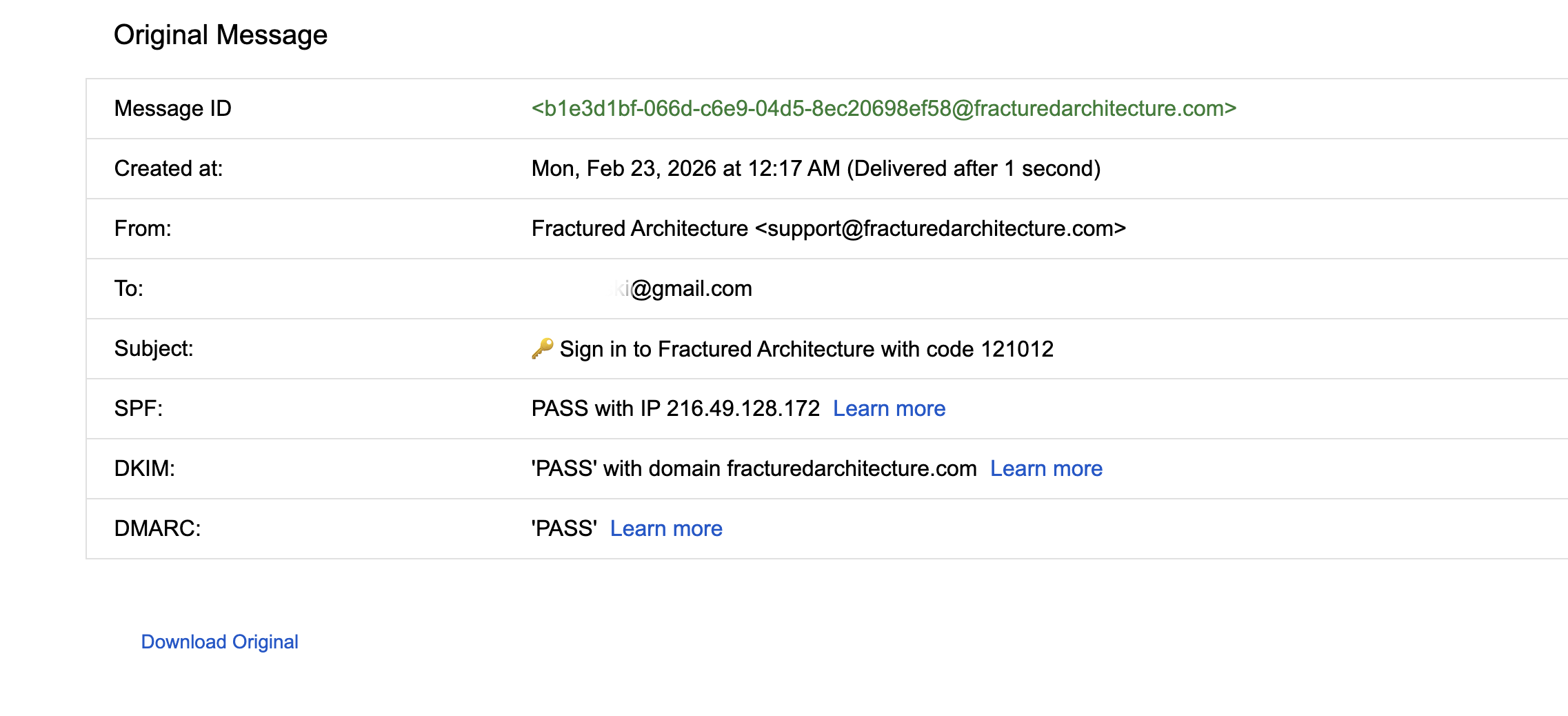
Example of clean SPF, DKIM, and DMARC alignment in Gmail
Postmaster's CLI Troubleshooting Checklist
When a message is deferred or fails authentication, check DNS, permissions, and logs directly from the shell:
1. Verify Public DNS Records via dig
# 1. Verify 2048-bit DKIM public key (ensure zero spaces inside base64 chunks)
dig TXT mail._domainkey.yourdomain.com +short

# 2. Verify SPF hard-fail policy
dig TXT yourdomain.com +short

# 3. Verify DMARC policy
dig TXT _dmarc.yourdomain.com +short

# 4. Verify Reverse DNS (PTR) matches myhostname
dig -x YOUR_STATIC_WAN_IP +short
2. Tail Live Postfix & Rspamd Logs
tail -f /var/log/postfix/latest.log
tail -f /var/log/rspamd/rspamd.log
If you spot Permission denied on /var/run/rspamd/milter.sock or missing DKIM-Signature headers right after an OPNsense update, run /root/bin/restore_mail_stack.sh to immediately re-synchronize your template overrides, group memberships, and service daemons.
3. External Deliverability Witness
Finally, send a test message to an external validator such as Mail-Tester.com to confirm 10/10 alignment across SPF, 2048-bit DKIM signature verification, DMARC enforcement, FCrDNS banner parity, and zero blocklist flags.
Field Log Discussion
Public @handle only · Private email hidden · Fenced code blocks supported
Join the architecture review under a self-chosen @handle. Your email address is never displayed publicly.
Related Field Logs

Architecture: The 10G eBPF Edge with OPNsense & Istio-Ready Cilium DSR
Achieve maximum 10G throughput. Learn how to configure Cilium with Native Routing and DSR for real client IP preservation and enterprise-grade observability.
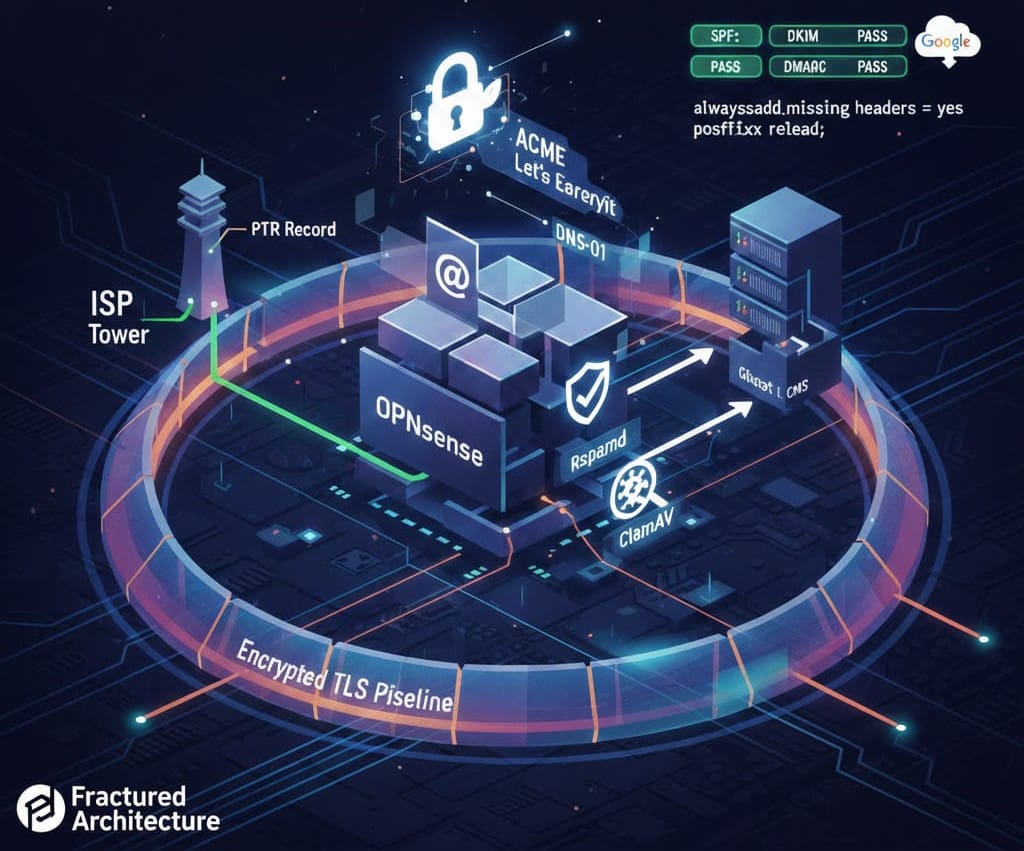
Mail Sovereignty Part I: The Architecture of Independence
A deep dive into building a hardened mail gateway. Learn how to satisfy Google’s SMTP standards and maintain a perfect sender reputation on your own hardware.

Blog security overview
Hardening self-hosted infrastructure with OPNsense GeoIP bans, Suricata IPS, Tor blocking, NGINX ModSecurity WAF rules, and automated reporting.
Loading discussion notes...