
From Chaos to Control: Centralizing Infrastructure Management with Linkwarden
Deploy Linkwarden on Kubernetes with PostgreSQL, cert-manager, and Route53 automated TLS to centralize infrastructure consoles and runbooks.

In a world of high-performance computing and distributed applications, the sheer volume of "entry points" can become a management nightmare. Between internal monitoring dashboards, financial analysis tools, and the dozens of external consoles required to keep a web presence healthy, a standard browser bookmark bar simply fails.
The Administrative Hub
The core challenge isn't just remembering a URL; it's maintaining immediate access to the specific tools that govern your infrastructure's reputation and performance. Linkwarden acts as the "Command Center" for these disparate services.
1. Categorizing the External Stack
For any administrator managing large-scale web applications, there is a "mandatory" list of external platforms. In Linkwarden, these are organized into functional collections to ensure that when an issue arises, the diagnostic tool is one click away.
- Reputation & Deliverability: Vital links to Spamhaus,** Talos, and Google Postmaster Tools** to monitor IP health and mail flow.
- Search & Visibility: Unified access to Google Search Console,** Bing Webmaster Tools, and Google Analytics** for real-time traffic and indexing data.
- Network Diagnostics: Instant paths to MX Toolbox for DNS and SMTP troubleshooting.
- Financial & Operational: Direct links to Stripe for billing and Hacker News for industry-wide technical pulse checks.
2. Bridging to Internal Applications
Beyond the public web, Linkwarden shines in managing the "dark" side of the network - the internal applications. Whether it is a custom-built dashboards or a local HPC monitoring suite, these internal links are often difficult to navigate via standard history.
By self-hosting Linkwarden, you create a secure, private directory that maps your entire architecture. This ensures that your personal projects and professional tools live in the same organized ecosystem without leaking internal metadata to a third-party bookmarking service.
3. The Power of "Instant Snapshots"
One of Linkwarden's most critical features for a technical blog or project is its ability to archive a page the moment you save it.
- Documentation Persistence: If a specific API version or a niche technical blog post goes offline, you have a preserved PDF or screenshot.
- Audit Trail: It provides a visual history of how your administrative tools have evolved over time.
Deployment Strategy: The Secure Self-Hosted Stack
Managing a technical stack requires a deployment strategy that matches the complexity of the tools it hosts. For Linkwarden, this means moving beyond basic containerization into a hardened Kubernetes environment.
1. Decoupling Secrets from Manifests
Hardcoding passwords in your deployment files is a significant security risk. Instead, we utilize Kubernetes Secrets to manage sensitive data like the PostgreSQL credentials and the NextAuth secret. This allows you to push your orchestration logic to your code repository while keeping the actual keys in a secure, non-versioned environment.
- Database Credentials: Secrets for the
POSTGRES_USERandPOSTGRES_PASSWORDare injected into both the database and application containers. - Authentication Security: The
NEXTAUTH_SECRETcrucial for session signing is managed as a secret and injected as an environment variable.
2. Automated TLS with Cert-Manager and Route53
To secure the traffic to your administrative URL, we use the ACME DNS01 challenge via Amazon Route53. This is superior to the standard HTTP01 challenge for several reasons:
- No Inbound Holes: You don't need to open port 80 to the world for validation.
- Internal Routing: It works perfectly for services that may not be fully public but still require valid SSL certificates.
By defining a ClusterIssuer that points to a specific Route53 IAM user, the cluster automatically handles the creation and cleanup of the DNS TXT records required for Let's Encrypt to issue a certificate.
3. Persistent Backend Storage
Since Linkwarden acts as an archive, data integrity is paramount. We back the PostgreSQL instance with a PersistentVolumeClaim (PVC) using high-performance storage (like Ceph-RBD). This ensures that even if a pod restarts or a node fails, your administrative links and their archived snapshots remain intact.
4. Directing Traffic via Ingress
The final piece is the NGINX Ingress Controller. It acts as the gatekeeper, mapping your specific domain to the Linkwarden service.
- SSL Termination: The Ingress controller automatically pulls the certificate from the Secret generated by Cert-Manager.
- Body Size Limits: We configure specific annotations to allow for large file uploads, ensuring that heavy documentation archives or backups don't hit a 413 error.
Accessing the Full Configuration
A secure deployment relies on the orchestration of several moving parts, from namespace isolation to automated certificate renewal. To help you implement this architecture in your own environment, I have documented the complete set of Kubernetes manifests used for this project.
The repository includes the following:
- Namespace and Secret Templates: The foundational layer for isolating the Linkwarden stack.
- Database and Application Deployments: Hardened configurations using the PostgreSQL backend.
- Networking and TLS Logic: The ClusterIssuer and Ingress rules required to manage the Route53 DNS01 challenge.
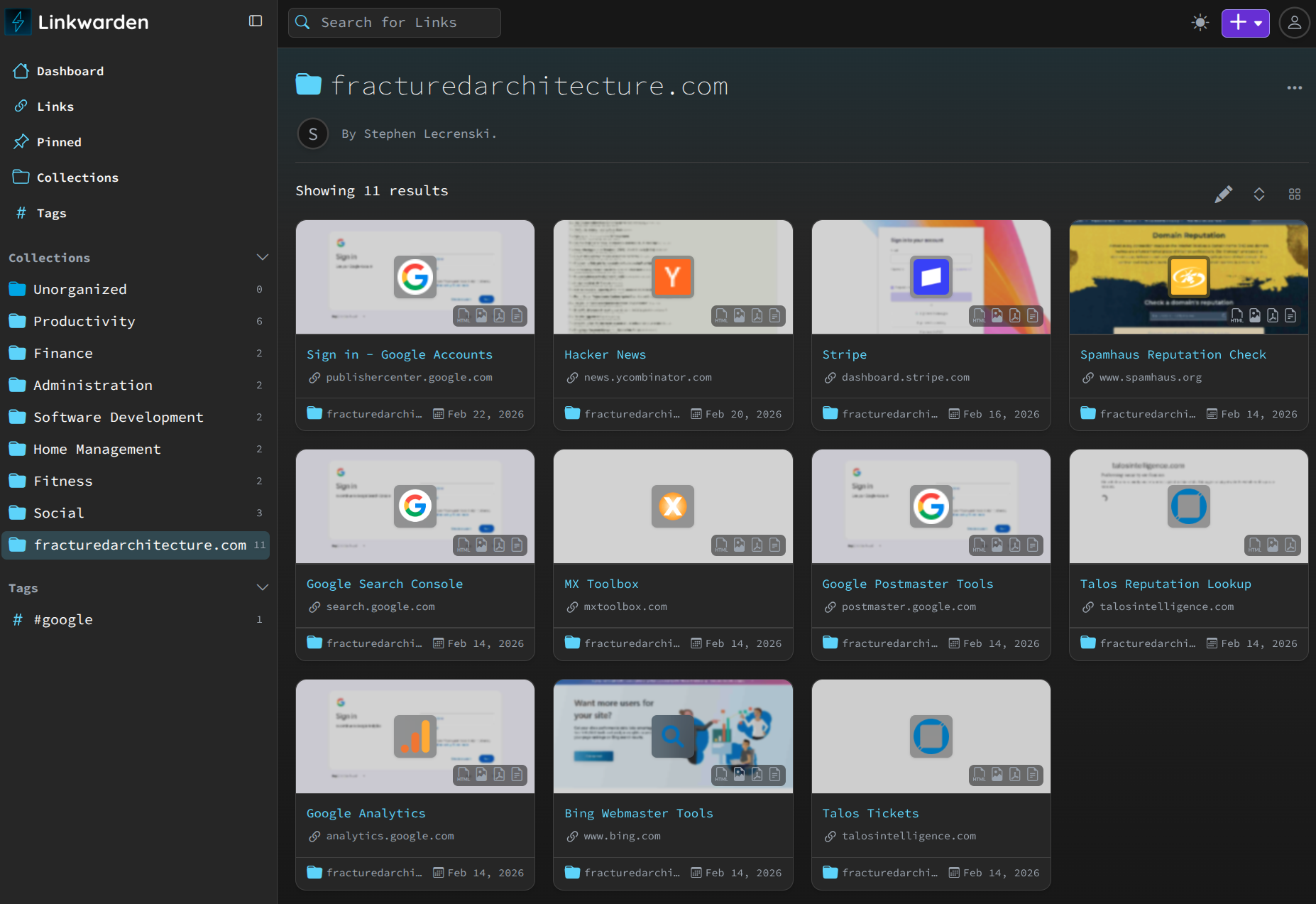
Example of some links I track for this blog
Update (November 2026): The standalone code.fracturedarchitecture.com repository mirror previously linked here is currently offline pending unified SSO credential synchronization; see our Code Archive Status Update for details.
Field Log Discussion
Public @handle only · Private email hidden · Fenced code blocks supported
Join the architecture review under a self-chosen @handle. Your email address is never displayed publicly.
Related Field Logs
Linkwarden as an Infrastructure Command Center
Taming dashboard sprawl and preserving immutable snapshots of ephemeral technical documentation with a self-hosted Linkwarden deployment.
Replacing Ghost with a Stateless Git and Markdown Architecture
Why we retired Node.js and MySQL CMS overhead in favor of version-controlled Markdown, Ghost URL parity, and AI-assisted editorial workflows.
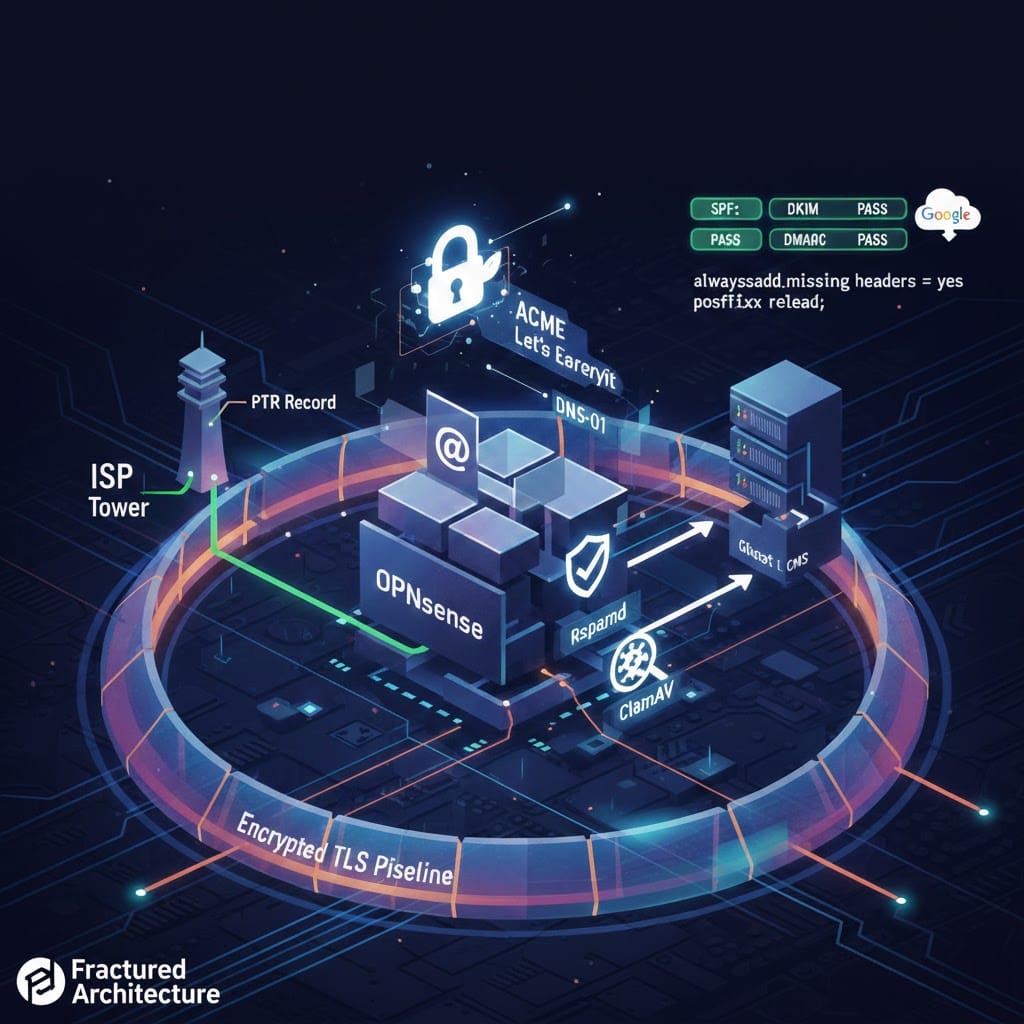
Mail Sovereignty Part II: Building a Professional, Self-Hosted Stack
Master self-hosted email sovereignty. Build a hardened OPNsense, Postfix, Rspamd, and Redis mail gateway with Route53 DNS-01 TLS and firmware-safe recovery.
Loading discussion notes...